

Guide
Foundry uses AI models to draft ontologies, read documents into loads, check the facts
it finds, answer questions, assess use case runs and run Founder,
including the Founder steps of workflows. Settings →
AI models says where they run. Owners choose; everyone else in the workspace sees the choice.
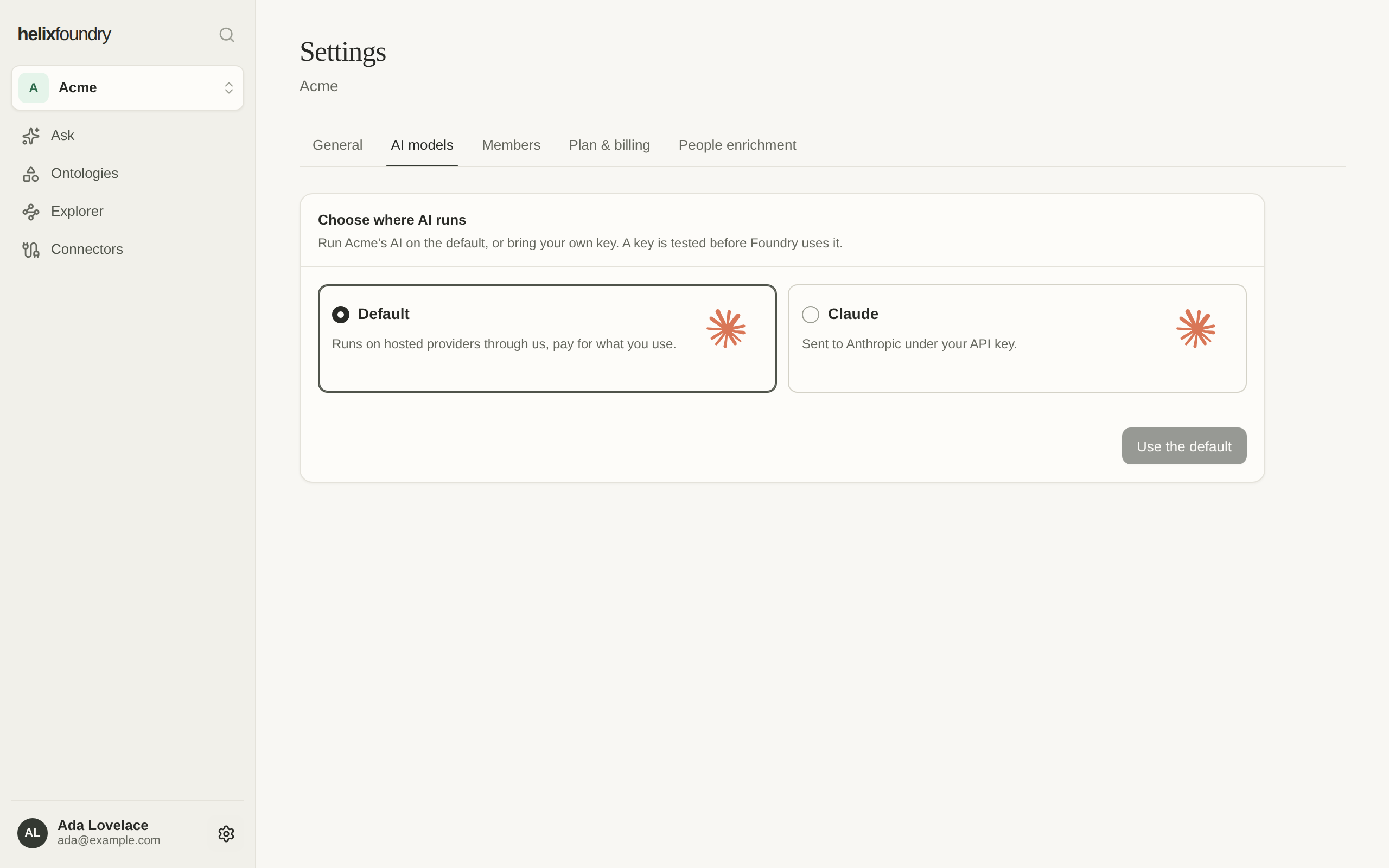
Default
Default runs on hosted providers through Helix, and you pay for what you use. Every workspace starts on it, and it is there on every plan. Today it runs on Anthropic’s Claude models.Your own Anthropic key
On Foundry Pro or Max, an owner can run the workspace’s AI on the workspace’s own Anthropic API key instead, under the terms of its Anthropic account.1
Choose Claude
Select Claude and paste an Anthropic API key. Keep Model on Recommended for
each task, pick one model for every task, or select Choose a model per task to
set Drafting, Questions, Reading documents and Checking facts separately.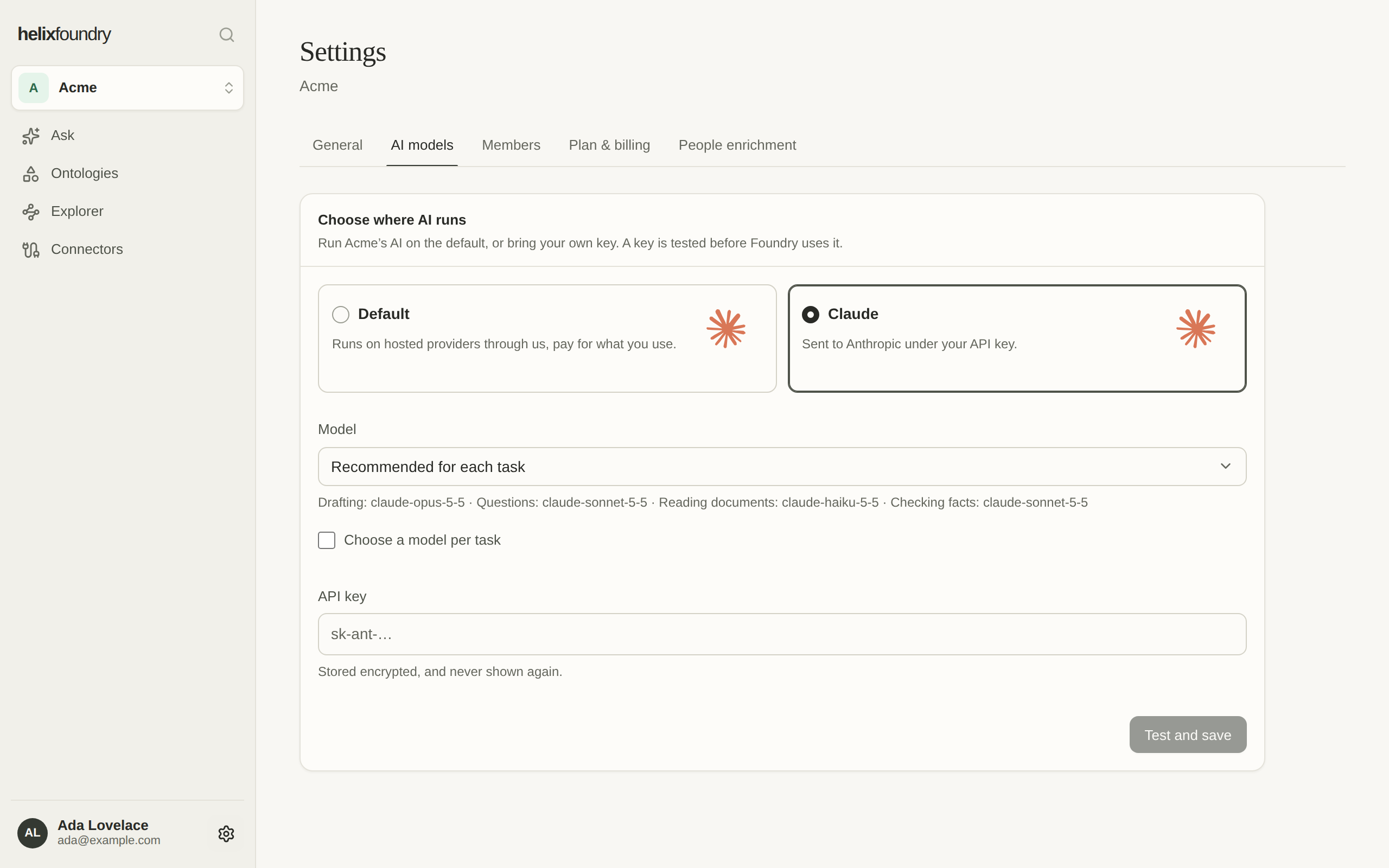
2
Test and save
Select Test and save and confirm. Foundry tests the key and models before it uses
them: the page follows the test and says when it passed, or why it failed. Until it
passes, the setting before stays in force.
If the workspace leaves Pro
A workspace that moves to Free while it runs on its own key is paused: its drafts, document reads and questions are refused until it is on Pro or Max again, or an owner chooses Default. The page says so.Who can change it
Only owners. Admins and members see where the workspace’s AI runs, except members limited to certain sources.Next steps
Usage
This month’s AI spend, against its caps.
Plans and billing
Upgrade to Pro or Max.
Founder
Ask, change and build with Founder.